How to Manage Multiple Client Wine Cellars
Madeleine Cruickshank
September 15, 2026 · 7 min read

How do sommeliers manage multiple client wine cellars?
Keep each client's collection genuinely separate rather than tagged inside one master list, give the owner their own access to their own cellar, and map bottle locations to the physical space so anyone can find a bottle without you present. Everything else in this job is a variation on those three requirements.
The difference between managing one cellar and managing eight is not volume. It is that a mistake in a personal cellar is an inconvenience, and a mistake in a client's cellar is a professional problem.
Keeping Client Collections Separate
Separation is the whole job. A single list with client names in a tag field works until the day you filter wrong, send the wrong report, or move a bottle between cellars that exist only as labels. At that point you are explaining to a client why their inventory shows someone else's wine.
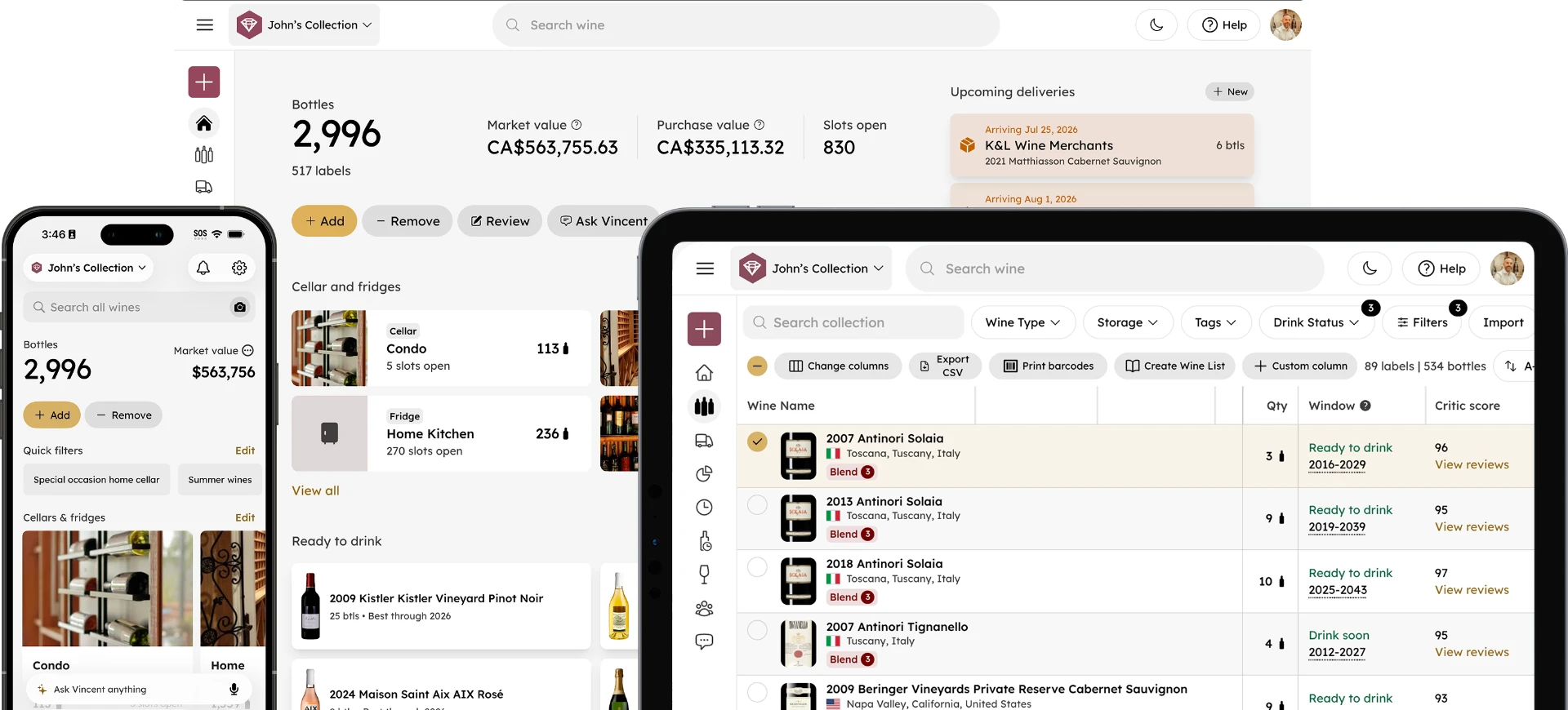
InVintory handles this with genuinely separate collections per client rather than a tagging convention layered on one collection.
Should each client have their own account or their own collection?
Their own collection, held under your access, with the client added so they can see it too. That keeps the boundary real at the data level while leaving you able to move between cellars without logging in and out.
The alternative, one account per client with separate credentials, means managing a password list and signing out of one client to answer a question about another. That falls apart quickly at more than two or three clients.
How do you switch between client cellars quickly?
Switching between collections is a tap, which matters more than it sounds when you are standing in one client's cellar and taking a call about another's.
The practical test for any system is whether you can answer a question about a cellar you are not currently standing in, without ending what you are doing. If switching requires signing out, the system will not survive a working week.
Giving Owners and House Managers Access
Clients want to see their own cellar. House managers and estate staff often need to as well, particularly for pulling bottles when you are not there.
The question is not whether to give access but how much, and the honest answer is that most friction comes from giving too little rather than too much. A client who cannot see their own collection calls you to ask what they own, which is not a good use of either person's time.
Does the client need to pay for their own account to see their cellar?
No. Collaborators can be added without each person taking out a separate paid subscription, so giving a client or their house manager visibility does not multiply the cost of managing their cellar.
For the mechanics of shared access itself, which work the same way in a household, see our guide to sharing a wine cellar. This post stays on what makes professional management different, which is separation rather than sharing.
Who should be allowed to mark a bottle as opened?
Anyone who actually removes bottles, which usually means the client, their house staff, and you. Restricting this to the sommelier guarantees the record drifts, because bottles will be opened whether or not you are there to log them.
The risk of a client logging their own consumption is a wrong entry. The risk of only you being able to log it is a permanently inaccurate cellar. The first is fixable.
Making Bottles Findable in a Physical Cellar
The service you are actually providing is that someone can walk into a room and put their hand on a specific bottle. A list of what a client owns, without where it sits, does not deliver that.
VinLocate builds 3D storage sections matching the real racks, cases and fridges in the room, so a bottle's record points at a physical position rather than a general area. For larger or more complex cellars, InVintory's team can build custom models of the space.
How accurate does bottle location need to be?
Accurate enough that someone who has never been in the cellar can find the bottle, which in practice means rack, row and position rather than "the back wall."
That standard sounds excessive until the first time a client's guest is sent to fetch something during dinner. Under-specified locations are the reason cellars get reorganized by well-meaning people, which is how they become wrong.
For setup, see our VinLocate setup guide, and for naming conventions that hold up across multiple large cellars, see our cellar organization framework.
Onboarding a New Client Collection
Most new clients arrive with something: a spreadsheet, an old app, or a cellar book. The onboarding job is turning that into an accurate collection without spending a week on data entry.
InVintory imports from spreadsheets, CellarTracker and Vivino, and bottles are matched against a database of over 2 million wines, which removes most of the manual identification work.
How long does it take to import an existing collection?
Assisted imports typically take one to five days, depending on the size and state of the source data.
The variable is almost never volume. It is how consistent the original records are. A clean spreadsheet of 2,000 bottles imports faster than 300 bottles logged inconsistently across three years. For handling large or messy collections specifically, see our guide to importing a thousand bottles quickly.
The Three Questions Clients Actually Ask
Across client cellars, the same three questions come up, and a well-maintained collection answers all three without research.
"What should I open tonight?"
Answered by drink windows held per bottle, rather than by you recalling the vintage.
"What is this worth?"
Answered by market value held per bottle, which also answers the follow-up about whether the collection has grown in value.
"Is this a good year?"
Answered by vintage scores, which is the question most likely to be asked about a bottle you have never personally tasted.
Each is stored against the bottle rather than researched fresh. That is the difference between a service that scales across eight clients and one that does not.
See how InVintory supports professional cellar management
Explore InVintory for sommeliers →
Reporting to Owners, Insurers, and Estates
Clients with significant cellars eventually need documentation rather than a conversation: a valuation for an insurer, an inventory for an estate, a record for a move.
Producing that from a maintained collection is an export. Producing it from a spreadsheet that has drifted is a project. This is where the ongoing discipline pays off visibly, and it is worth setting client expectations that accurate reporting depends on the record being kept current between visits.
For what to export and why, see our guide to wine collection reporting. For clients specifically asking about coverage or formal valuation, see our guide to insuring a wine collection and our guide to getting a collection appraised.
If you manage cellars at a storage facility rather than private residences, our guide to branded dashboards for storage facilities covers that adjacent case.
Managing several client cellars well is mostly a discipline about boundaries: separate collections, clear access, and locations precise enough that the cellar works when you are not in the room.
Talk through how this would work across your client book.
FAQ
Can one sommelier account manage multiple client cellars?
Yes. Collections are kept separate per client and you switch between them with a tap, rather than maintaining separate logins per client or tagging everything inside one master list.
Do clients need their own subscription to view their cellar?
No. Collaborators can be added without each person taking out a separate paid subscription, so client and house manager visibility does not multiply per-cellar cost.
What platforms does this work on?
InVintory is available on iOS, Android and web, which matters when you are working in a client's cellar on a phone and reporting from a laptop later.
How do you handle a client who wants to manage their own cellar eventually?
Because the collection is theirs and they already have access, handover is a permissions change rather than a data migration. Nothing needs rebuilding.