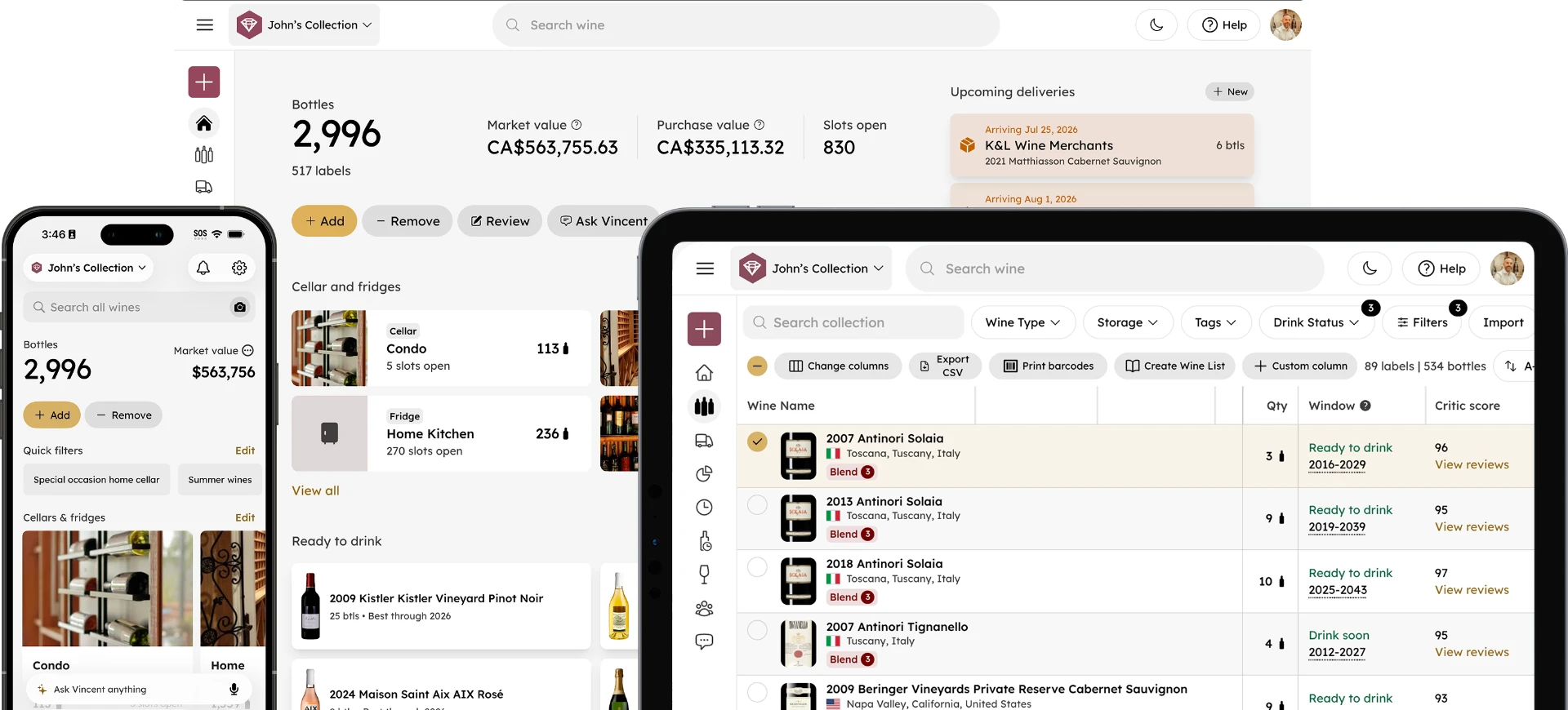
How to Share a Wine Cellar With Your Household
Madeleine Cruickshank
September 14, 2026 · 8 min read

How do you share a wine cellar with your household?
Give each person who touches the cellar their own access to the same collection, agree on who logs what, and make logging a bottle part of opening it rather than a task for later. Almost every problem with a shared cellar traces back to one of those three things being skipped.
A shared cellar is not really a technology problem. It is a habit problem with a technology component, and the households that get it right are the ones who decided the rules out loud rather than assuming everyone would behave the same way.
Why Shared Cellars Drift Out of Date
A cellar that one person maintains stays accurate because one person knows what happened to every bottle. Add a second person and that stops being true immediately, because the record now depends on someone else remembering to tell the system something.
The drift is rarely dramatic. It is one bottle opened on a Tuesday and never marked, then another, then a case moved to a different rack during a tidy-up. Six months later the count is wrong, the locations are wrong, and nobody knows which entries to trust.
What is the most common reason a shared cellar becomes wrong?
Someone opens a bottle and does not log it. That single failure accounts for more inaccuracy in shared collections than every other cause combined, because it is the easiest thing to skip and the hardest to reconstruct afterward.
It is also the most forgivable. Nobody opens a bottle thinking about inventory hygiene. They open it because guests arrived. The fix is not discipline, it is reducing the logging action to something that takes seconds and happens at the point of opening rather than at some tidier moment that never comes.
Setting Up Access
Everyone who takes bottles out of the cellar should be able to see and update the cellar. That sounds obvious, and it is routinely ignored, usually because one person set the collection up on their own account and never got around to adding anyone else.
The result is predictable: the person with access becomes the bottleneck and the only one who can answer what you own, and everyone else stops bothering.
Does everyone in the household need their own paid account?
No. InVintory supports adding collaborators to a collection without each person taking out their own separate paid subscription, so a household can share one cellar without duplicating costs.
What each plan supports differs, so check the pricing page for current detail before assuming a particular setup will work. For step-by-step setup instructions, the help center has the current walkthrough.
Get everyone in your household onto the same cellar: set up collaborators in InVintory →
Who should be able to delete a bottle?
As few people as possible, and ideally the household should treat deleting and marking-as-consumed as genuinely different actions. Marking a bottle consumed records what happened. Deleting it erases the fact that it ever existed, which destroys the history you would need later to answer what you drank, what you paid, and what you should buy again.
Agree on this once. Consumed for anything drunk, gifted, or sold. Delete only for entries created in error.
The One Habit That Keeps It Accurate
Log the bottle when you pull it, not when you finish it.
That is the whole discipline. The moment a bottle leaves the rack is the moment everyone in the household knows what happened to it. Wait until the evening is over and the information is already competing with washing up and going to bed.
Households that adopt this do not need rules about anything else, because the record stays close enough to reality that small errors never compound. Households that do not adopt it end up doing a full manual audit every year or so, which is considerably more work than the habit would have been.
Handling Gifts and Bottles You Are Saving
Two categories cause more household friction than anything else: bottles bought as gifts for someone outside the house, and bottles set aside for a specific occasion.
The failure mode is the same for both. Someone opens a bottle that was quietly earmarked, and the only person who knew it was earmarked is upset about it. There was no way for anyone else to know, because the intention lived in one person's head.
The fix is to make intent visible in the record itself. Tag the bottle, add it to a named list, or put it in a note attached to the entry, whatever makes it unmistakable on the bottle's own record that it is spoken for. A bottle marked "anniversary" or "gift for Dan" will not get opened casually. A bottle with nothing on it will.
For a fuller approach to organizing by intent, see our guide to saved lists, and for tracking bottles you intend to keep, gift, sell, or replace, see our guide to cellar goals.
Avoiding Duplicate Purchases
When two people buy wine for the same house, duplicates are inevitable unless both can check the collection from wherever they are standing.
This is the one shared-cellar benefit that pays for itself immediately and needs no habit change beyond looking before buying. The requirement is simply that both people have access on their own phones, which returns to the access question above.
The related failure is buying something because you thought you had run out when in fact there are four bottles in a rack nobody has looked at in a while. Accurate locations solve that; see our guide to keeping bottle locations accurate.
What Happens If Two People Edit the Same Bottle
Both edits land, and the later one generally wins on any field they both touched.
In practice this matters much less than people expect, because household members rarely edit the same bottle within the same few minutes. The realistic version is slower and more annoying: one person marks a bottle consumed on Saturday, the other looks on Sunday and assumes it is still there because they have not refreshed.
Two things reduce this to nothing. Work from the current state rather than memory, and check before you act on a bottle you have not physically seen. If something looks wrong, look at the bottle's own record before assuming the system is broken; most apparent conflicts turn out to be one person's information being a day old.
When a Shared Collection Has to Be Split
Households change. A collection built together sometimes has to be divided, and doing it from an accurate record is dramatically easier than doing it from memory and a rack.
Export the collection first, before anyone moves a bottle. That gives both parties the same list to work from, including what was paid and what each bottle is currently worth, which turns a potentially difficult conversation into an arithmetic one. For what to export and how, see our guide to wine collection reporting.
Then split in the app rather than only in the physical cellar, so both people leave with a record that matches what they actually have. A divided collection with no updated record is two inaccurate collections.
Where to Go Next
If you are setting a shared cellar up for the first time, our getting started guide covers the initial setup, and our home screen guide explains what each person will see day to day. For building a weekly routine around what is ready to drink, see our drink-soon rotation guide.
If you manage cellars professionally rather than sharing one at home, the requirements are different, separation between clients matters more than shared access. See our guide to managing multiple client wine cellars.
A shared cellar works when the record is easier to update than to ignore. Everything else is detail.
Give everyone in the house the same view of the cellar.
Compare Free, Premium and Elite →
FAQ
Can two people use the same wine app account?
They can share one login, but it is a worse setup than adding collaborators, because you lose any sense of who did what and everyone has identical control over everything. Separate access to a shared collection is the better arrangement.
How do you stop someone drinking a bottle you were saving?
Make the intention visible on the bottle's record with a tag, a list, or a note. An earmarked bottle that looks identical to every other bottle will eventually get opened, and that is a record-keeping failure rather than anybody's fault.
What happens to a shared collection if one person leaves?
Export the full collection before anything moves physically, agree the split from that list, then update the app so both parties leave with an accurate record rather than a guess.
Should children or guests have access to the cellar record?
Generally no. Access should follow responsibility, meaning the people who actually take bottles out and put bottles in. Anyone else can be shown the collection without being given the ability to change it.