10 Unexpected Ways to Get More From an AI Sommelier
Madeleine Cruickshank
June 30, 2026 · 5 min read

Most collectors who use Vincent, InVintory’s AI sommelier, ask him the same two questions: what should I open tonight, and what pairs with dinner? Both are great uses. Neither comes close to exhausting what a collection-aware AI sommelier can actually do.
The difference between Vincent and a generic AI wine tool is that Vincent knows your cellar. He knows what you own, what you've told him about your taste, and what your collection looks like as an asset. That specificity unlocks capabilities that most collectors never think to use.
Here are ten of those capabilities.
1. Manage Your Collection Hands-Free
Can I add and remove bottles from InVintory without typing?
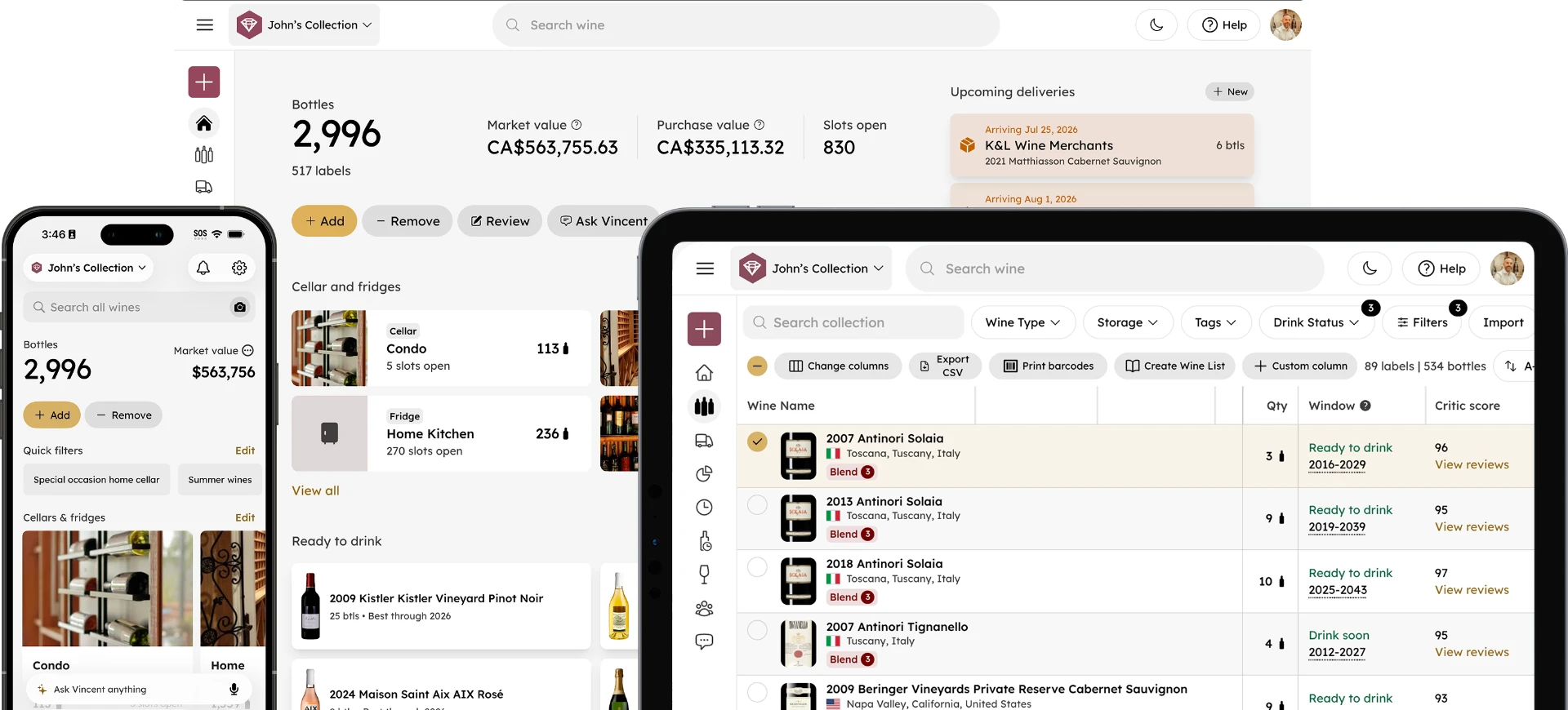
Yes. Vincent can add, update, and remove bottles from your collection through natural conversation, and the voice input on the home screen means you don't have to type anything at all.
Tap the microphone icon in the Ask Vincent bar, tell him you just picked up a case of 2022 Barolo, and he adds it. Tell him you opened the Burgundy last night and he removes it. Tell him a vintage is wrong and he fixes it. No menus, no manual entry, no setting down what's in your hands to navigate through screens.
This is the most practical upgrade for collectors who regularly add and remove bottles. The data stays current, the habit stays frictionless, and the collection remains an accurate reflection of what's actually in your cellar.
2. Build a Taste Profile Over Time
Does Vincent remember what I tell him about my preferences?
Yes. When you share something about your taste in a Vincent chat, he retains it and applies it to every future recommendation. Tell him you love high-acidity whites and he won't forget it. Mention that Burgundy is your favorite region and he'll factor that in going forward. Share that you've been avoiding heavily oaked wines lately and his suggestions will adjust accordingly; not just in that conversation, but in every conversation after it.
The practical implication: the more you use Vincent, the more personal his recommendations become. A collector who has told Vincent over a dozen conversations that they prefer elegance over power, Burgundy over Bordeaux, and wines that peak early will get meaningfully different recommendations than a collector with an identical cellar but no preference history.
Most collectors treat Vincent as a single-session tool. The ones who get the most from him treat him as a running conversation.
3. Get Pairing Advice From Your Actual Cellar
How is Vincent's food pairing different from a generic wine app?
Most food and wine pairing tools give you a varietal, like "pair chicken with Chardonnay." Vincent gives you a specific bottle. Tell him you're making herbs-de-Provence chicken and he'll recommend the exact wine from your cellar that pairs best, accounting for what's actually in your collection and which bottles are currently in their drinking window.
This distinction matters for collectors with 50 or more bottles. A generic pairing recommendation is only useful if you happen to own that varietal. Vincent's recommendation is useful because it pulls from what you have (and what’s ready to drink) right now.
4. Ask for a Gap Analysis of Your Collection
Can Vincent tell me what's missing from my collection?
Yes, if you ask him. Tell Vincent you want to understand where your collection is thin, and he can identify gaps, like under-represented regions, missing drinking window coverage, or varietals you enjoy but don't own much of. This is a different kind of question than asking what to open, but it's one of the most valuable things a collection-aware AI can answer.
For a collector who's been buying reactively rather than strategically, a conversation with Vincent about what's missing can reframe the entire buying agenda.
5. Talk Through a Wine Before You Write a Tasting Note
Can Vincent help me write tasting notes?
Yes. One of the underused uses of an AI sommelier is as a thinking partner before you commit a note to writing. Describe what you're tasting, like the color, the aromas, the texture on the palate, the finish, and ask Vincent to help you put language to it. He can suggest the right vocabulary, identify what you're likely experiencing based on the wine's profile, and help you develop the observational habit that makes tasting notes more useful over time.
Tasting notes in InVintory are yours to keep and reference. Collectors who log consistently build a personal record that Vincent draws from to understand their palate in more granular ways over time. For a starting point on what to look for by varietal, the guides to red wine varieties and white wine varieties are useful references.
6. Ask What's Ready to Drink Right Now
Does Vincent know which of my bottles are in their drinking window?
Yes. InVintory calculates drinking windows for every bottle in your collection automatically, and the Ready to Drink list on your home screen surfaces bottles currently at their peak. But you can also ask Vincent directly, like "which of my bottles are ready to open this week?" and he'll answer from your actual collection.
This is particularly useful for collectors with large cellars where the Ready to Drink list is long. Ask Vincent to narrow it: "which bottles in my drinking window would pair with what I'm cooking tonight?" or "which of my ready bottles are the most valuable and should I open or sell them?" The combination of drinking window data and conversational guidance is where Vincent does something no static list can.
7. Research a Specific Bottle Before Opening It
Can I ask Vincent about a specific bottle before I decide whether to open it?
Yes. Ask Vincent about any bottle in your collection, including the tasting notes, the producer's style, the vintage conditions, ideal serving temperature, decanting recommendations, and whether you should open it now or hold it longer. He draws from InVintory's sommelier-curated database as well as your collection's specific context.
This is useful in the moments most collectors face: standing in front of the cellar with guests arriving, trying to decide between two bottles and wanting a quick professional opinion on which one to open and how to serve it.
8. Plan Ahead for an Occasion or Event
Can Vincent help me plan wine for a dinner party or event?
Yes. Tell Vincent you're hosting a dinner for six, the menu, and any preferences the guests have, and ask him to suggest a sequence of wines from your collection that would work across the courses. He can suggest opening order, decanting timing, and serving temperatures, all drawn from what you actually own.
This is a more involved use of Vincent than a single pairing question, but it's one that delivers real value for collectors who entertain regularly. It turns your InVintory collection into a dynamic menu-planning tool rather than a static inventory.
9. Ask for Buying Recommendations Based on What You Own
Can Vincent tell me what to buy next?
Yes. Ask Vincent what you should add to your collection based on what you already own and what he knows about your preferences. He can identify under-represented styles, suggest producers in regions you've enjoyed, or recommend age-worthy bottles that would fill gaps in your five-year drinking window.
This is different from asking a generic AI for wine recommendations because Vincent's suggestions are grounded in your actual collection and taste history, not in what's popular or what a database says is well-rated.
10. Connect Your Cellar to Any AI With MCP
Can I ask about my InVintory collection outside the app?
Yes. InVintory's MCP server lets you connect your wine collection to Claude, ChatGPT, and Gemini so you can ask questions about your cellar from whatever AI you're already using, without opening InVintory. Ask Claude what to open with dinner while you're cooking, ask ChatGPT to help plan a wine-focused gift from your collection, or use Gemini to map your collection against your broader financial picture.
The MCP server is included in all paid InVintory plans. Setup takes about two minutes. For a full guide, this post on the InVintory MCP server covers the setup process for all three AI tools.
Try Vincent in InVintory →
Frequently Asked Questions
What is an AI sommelier?
An AI sommelier is a digital assistant trained on wine knowledge that gives expert-level guidance on recommendations, food pairings, tasting notes, and serving advice. The best AI sommeliers are collection-aware: they draw from your specific bottles rather than giving generic answers. For a full explanation, this post on what an AI sommelier is and how Vincent works covers the full picture.
Does Vincent work without an internet connection?
Vincent requires an internet connection to function. Your collection data is stored in InVintory's cloud and syncs across iPhone, iPad, and web.
Can I use voice input with Vincent?
Yes. The microphone icon in the Ask Vincent bar on the home screen lets you speak your question or request. Your message is transcribed into the chat box before sending so you can review and edit it if needed.
Does Vincent remember my preferences between sessions?
Yes. When you share taste preferences in a Vincent chat, he retains them and applies them in every future conversation. The more you tell him, the more personal his recommendations become.
Is Vincent available on all InVintory platforms?
Yes: Vincent is available on iPhone, iPad, and the InVintory desktop site.
The collectors who get the most from Vincent are the ones who go beyond the obvious questions. Start a conversation, tell him what you like, and let him learn your cellar.