Best Wine Label Scanner Apps in 2026, Compared
Madeleine Cruickshank
September 20, 2025 · 5 min read

The best wine label scanner app depends on what you want after the scan: Vivino for a quick rating and price, Wine-Searcher for comparing prices and finding where to buy, and CellarTracker, InVintory or OENI if you want the scanned bottle added to a cellar record.
Which wine label scanner app is best?
Vivino: Best for checking a wine's rating, reviews, price and food pairings on the shelf. Free to use, with an optional Premium subscription.
Wine-Searcher: Best for comparing prices and finding where to buy. The app has a Recognize Label tool, and its Pro subscription is an in-app purchase.
CellarTracker: Best for adding bottles to a cellar record backed by a large community, by label photo or barcode.
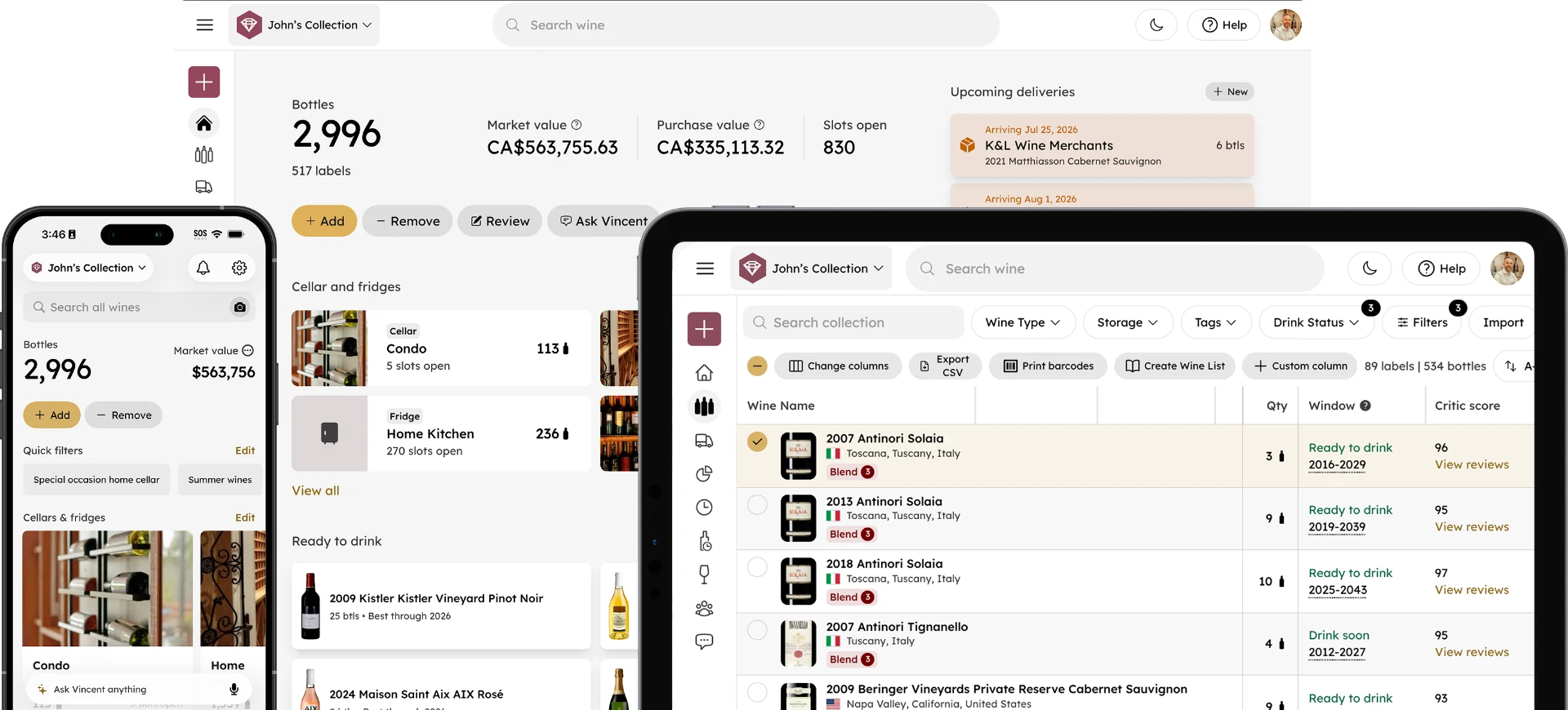
InVintory: Best for adding scanned bottles to a cellar with storage locations and values. Free to add unlimited bottles.
OENI: Best for scanning into a 3D cellar view. Free to download, with an optional Oeni Plus subscription.
Features were checked on each app's own site or App Store listing on 26 October 2026. None of these apps publishes a scan accuracy figure that we could verify, so this comparison covers what each app does, not how often it is right.
What is a wine label scanner app and how does it work?
A wine label scanner app reads a photo of a bottle's label and matches it to a wine in its database. How well it works depends on how complete the database is and how clear your photo is.
Once a scan matches, the app shows what it knows about that wine. Vivino's listing says a scan shows a wine's rating, reviews, price, tasting notes and food pairings, and Wine-Searcher's listing says a scan finds prices, critic scores, grape and region information and where to buy.
How do the top apps handle a scan?
Vivino: scan to rate and buy
Vivino is for people who want to know about a wine before they buy it. Its listing describes scanning a label for ratings, reviews and prices, and its Premium subscription adds a feature to scan several labels at once for comparison and a wine list scanner for restaurant menus. Its listing describes itself as the world's largest wine app and marketplace.
Wine-Searcher: scan to compare prices
Wine-Searcher is for people who want to know where to buy a bottle and what it costs. Its listing describes a Recognize Label tool and prices from 8 million offers across 55,000 merchants, and it is built around price comparison rather than cellar tracking.
CellarTracker: scan to add to a cellar
CellarTracker is for people who want the bottle in a cellar record. Its support pages describe adding wines by text search, by label or barcode with the phone camera, and by forwarding a receipt. Unlimited receipt recognition uploads are a subscriber feature.
InVintory: scan to add to a mapped cellar
InVintory is for collectors who want scanned bottles to land in a cellar with locations and values. You can scan a label with your camera or search its sommelier-managed database, and Premium adds receipt scanning and a wine menu scanner. If a scan does not match, search for the wine by name instead.
OENI: scan into a 3D cellar
OENI is for people who want a 3D cellar view. Its App Store listing describes a wine scanner, a 3D wine cellar and monthly market price updates for your cellar value.
What about VinoCell?
VinoCell does not describe label scanning. Its App Store listing describes searching a database of over 175,000 wines or adding wines by hand, so it suits collectors who prefer manual entry.
Why do database size and photo quality matter?
A scan can only match a wine the app knows, so a bigger or better curated database returns more matches, and an obscure or small producer bottle is the most likely to miss. A sharp, well lit, flat photo of the front label helps every app. For photo technique, see best practices for photographing wine labels.
What should you do when a scan fails?
Retake the photo in better light, then search by name, scan the barcode if the app supports it, and enter the wine by hand as a last step. Torn labels, glare, foreign scripts and small producers are the usual causes. For a longer checklist, see why won't my wine label scan: 12 fixes.
What should collectors and restaurants look for in a scanner app?
Collectors need a cellar record behind the scan, with locations, values and an export. Restaurants and bars often need bulk entry, multi-user access and list management. InVintory lets you scan a label or import a spreadsheet, and its Premium plan can export a restaurant style wine list.
For overall app choice, see Best Wine Apps in 2026 and the best wine apps for iPhone.
Frequently asked questions
Is there a free wine label scanner app?
Vivino is free to use, and InVintory's free plan lets you add unlimited bottles. OENI is free to download with in-app purchases, and Wine-Searcher's listing offers a Pro subscription as an in-app purchase.
Can a label scanner add bottles to my cellar?
Yes, in cellar apps such as CellarTracker, InVintory and OENI. Vivino and Wine-Searcher focus on information and buying.
Does a label scanner work on old or damaged labels?
Sometimes. Torn, faded or unusual labels are the most likely to fail, so keep search by name or barcode as a backup.
Ready to scan your first bottles? Get started with InVintory or compare Free, Premium and Elite plans.