Why Won’t My Wine Label Scan? 12 Fixes That Work
Paul Michael
May 14, 2026 · 5 min read
If you've ever tried to catalog your wine collection or identify a bottle at a restaurant, you know the frustration when a wine label scanner app doesn't deliver. With over 63% of wine consumers now using mobile apps to discover new wines (zipdo.co), label scanning is a daily tool for collectors, sommeliers, and hospitality professionals. Yet, even with advanced technology, scanning issues remain a common pain point.
This guide unpacks why, and—most importantly—how you can fix it, whether you're managing a home cellar or using an app made by collectors, for collectors.
Why Wine Label Scanning Fails: The Real Causes
Despite the promise of technology, scan failures are a fact of life for collectors and wine app users alike. A 2023 study found that even leading apps like Vivino averaged an 86% overall accuracy rate (alibaba.com). The gap between perfect and reality comes down to a few culprits:
- Lighting and glare: Poor or uneven lighting can cause reflections, making it difficult for apps to see important details.
- Label design and condition: Torn, smudged, or uniquely styled labels—especially those with vintage fonts or multiple languages—are harder to recognize.
- Database coverage: Apps with limited or outdated databases struggle with rare or obscure wines.
- User error: Scanning at an angle, shaky hands, or obstructed labels lower the odds of a successful scan.
Multiple scripts or non-Latin fonts can also sharply reduce scan accuracy, dropping below 52% in some tests.
When your app stumbles, chances are it’s one of these factors at play; not a flaw in your bottle, but a gap in technology’s reach.
How AI and OCR Shape Scan Accuracy (and Their Limits)
Advancements in AI and Optical Character Recognition (OCR) have transformed how wine label scanner apps identify and catalog bottles. OCR, Intelligent Character Recognition (ICR), and Intelligent Word Recognition (IWR) represent the layers of recognition technology that apps now use. Yet, even with deep learning, these tools face context and data limitations.
As Dr. Sophie Laurent, Senior Researcher at INRAE Montpellier, puts it:
“Scanners don’t ‘understand’ wine—they match pixels. If your 1996 Château Rayas label is slightly off-center in your photo, or if the app’s database only has a 2005–2018 version, you’ll get a false positive or no result. Human verification isn’t optional—it’s mandatory.” (alibaba.com)
Even advanced AI platforms can struggle with bottles aged 10 years or more—showing how older and rarer bottles are problematic for all apps.
What does this mean for collectors and professionals? Even the best apps can misidentify old vintages, obscure producers, or bottles with unique label designs, especially when database coverage is thin.
Whenever possible, supplement AI results by double-checking label details manually, especially for rare or high-value bottles.
12 Fixes That Work: Step-by-Step Troubleshooting Guide
Getting the most from your wine label scanner app is often about controlling the variables you can. While no app is flawless, these proven steps can dramatically increase your scan success rate:
- Clean the label: Dust or smudges can reduce detection accuracy by up to 40% (alibaba.com).
- Use natural, diffused light: Avoid harsh glare and shadows. Soft daylight or indirect indoor light works best.
- Hold your phone steady: Shaky hands distort images; use both hands or rest your elbows for stability.
- Frame the label straight-on: Avoid angles—scan head-on to minimize distortion.
- Remove obstructions: Peel back foil, dust off dirt, and clear away anything covering the label.
- Check for damage: If the label is torn or heavily worn, try gently smoothing or flattening it.
- Update your app: Make sure you’re running the latest version for improved algorithms and database updates.
- Try a different app: Some apps excel in different regions or for commercial versus boutique producers; for instance, Delectable focuses on professional reviews and excels with newer releases.
- Scan in a well-lit area: If you’re in a dim cellar, move to a brighter spot or use a soft lamp.
- Increase contrast: Place the bottle against a plain background to help the app see edges.
- Try manual focus: Tap your phone screen to focus on the label before snapping.
- Manually search or enter details: If all else fails, use the app’s manual input feature (a must for rare or damaged bottles).
Manual entry guarantees every bottle in your collection can be tracked.
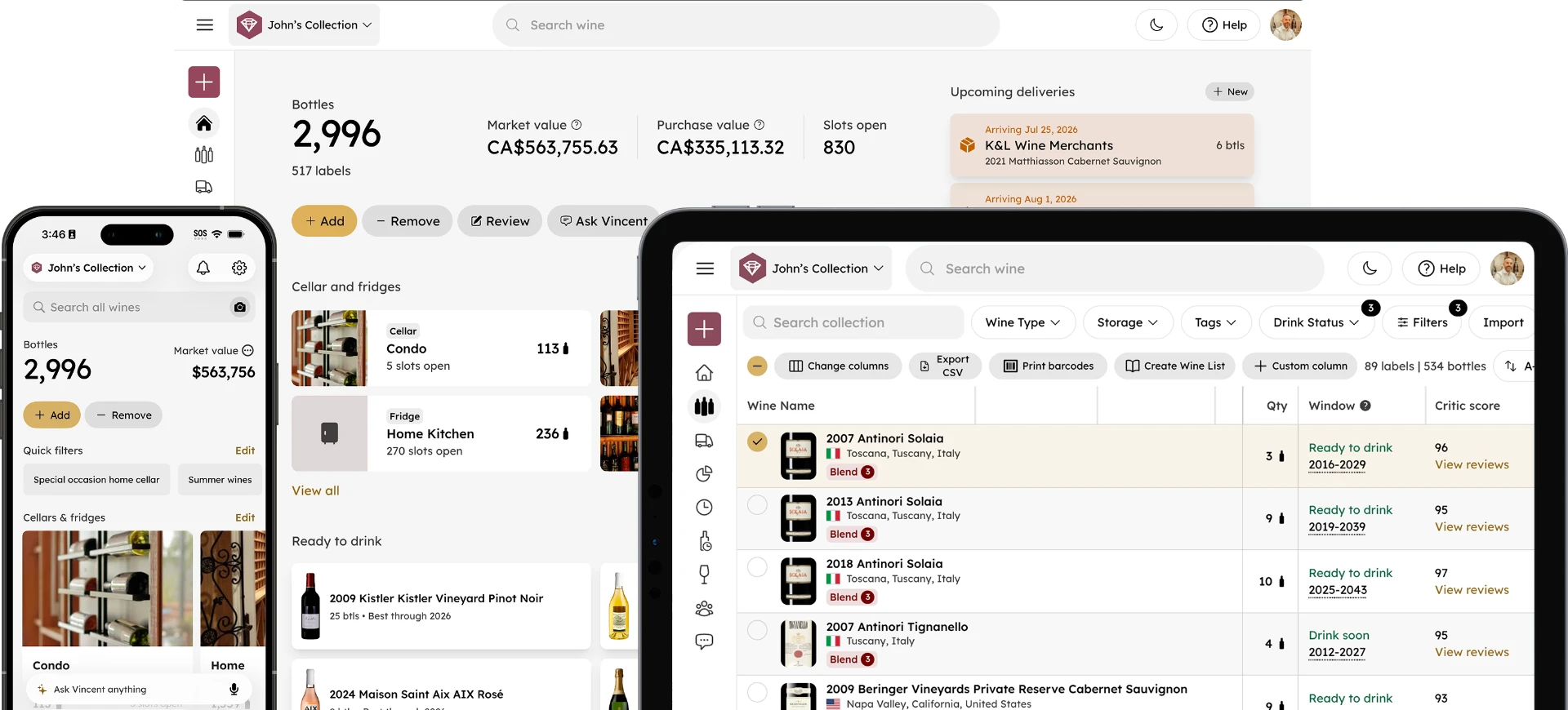
For those just starting, a free wine inventory app with troubleshooting tools can make a big difference in accurately logging your collection.
When Manual Entry Beats Scanning: What to Do When All Else Fails
Sometimes, technology simply reaches its limit. If you encounter a bottle with a faded, water-damaged, or counterfeit label, manual entry is your best bet. In February 2024, a Toronto sommelier tried to verify a rare bottle using Vivino. The app returned a confident match, but the guest (who was an experienced collector), noticed subtle inconsistencies.
Manual research revealed the bottle was a counterfeit, proving that human judgment can catch what algorithms miss (alibaba.com).
Manual catalogs, whether digital (like a synced cloud spreadsheet) or analog, often outperform apps for extremely rare, damaged, or foreign-language bottles.
Manual entry is the collector’s safety net for rare, valuable, or compromised bottles.
While it may feel like extra work, entering details by hand ensures your cellar records are accurate and trustworthy, especially when technology stumbles.
Keeping a photo archive of hard-to-scan bottles (even if entered manually) can also help with insurance or audit requests.
For more on app limitations and solutions, see common wine inventory mistakes and how apps solve them.
The Role of Lighting, Angles, and Label Condition: Pro Tips for Better Scans
Why do some bottles scan perfectly, while others seem impossible? The answer is often as simple as the room you’re in or how you hold your phone.
Proper lighting and label positioning are the most common user-controlled variables in scan accuracy. Experts note that dusty or smudged labels alone can reduce detection rates by up to 40%. Non-Latin scripts and mixed languages further reduce success rates, dropping as low as 52% in challenging cases (alibaba.com).
Even micro-scratches or subtle embossing can confuse scanners, so aim for flat, glare-free surfaces whenever possible.
If you’re struggling, start by moving to a brighter area, cleaning the label, and making sure you’re scanning straight on.
For more lighting tips, see best practices for photographing wine labels.
Why Some Labels Will Always Be Hard: Design, Material, and Database Gaps
Even with perfect technique, some labels defy automation. As Sarah Ahmed, Master of Wine, explains:
“Scanners are excellent triage tools—not authentication tools. They help you quickly eliminate the obvious mismatches... But they cannot replace human contextual judgment.” (alibaba.com)
Labels from obscure regions, limited releases, or those with unique materials and fonts are less likely to appear in any app’s database. Heavy embossing, metallic foils, and matte varnishes are all known to reduce scan reliability.
Even with frequent updates, gaps remain; especially for boutique producers, older vintages, or bottles with handwritten elements.
If you consistently hit a wall, prioritize clean photos and use manual entry when needed, then save a label photo in the record so you can verify it later.
AR, QR Codes, and the Future of Wine Label Scanning
The next wave of scanning technology is already reshaping how we discover and buy wine. Connected packaging integrates QR codes and NFC tags, letting consumers access real-time product data and provenance.
A 2024 study by the Wine Market Council found that shoppers using AR-enabled scanning tools spent 27% longer engaging with wine displays and were 3.2 times more likely to choose a premium bottle, with 54% buying wines they’d never heard of before (alibaba.com).
AR, QR, and NFC-enabled labels not only provide richer information but also unlock new experiences.
If you’re looking for a wine inventory app with future-ready features, seek platforms that are already experimenting with connected packaging.
Best Practices for Privacy and Data Accuracy in Wine Apps
With more collectors and professionals depending on mobile apps, data privacy is a growing concern. Recent surveys show that 62% of users are concerned about how their data is stored and used in wine apps (invintory.com). Always review your app’s privacy policy and opt for platforms that are transparent about data handling and frequent database updates.
Some leading wine apps actively anonymize user data by truncating IP addresses, offering additional privacy safeguards.
Making sure your information stays accurate and secure is as important as getting the scan right.
Summary: Getting the Most from Your Wine Label Scanner App
Wine label scanning has become essential for collectors, hospitality staff, and everyday enthusiasts. By understanding the main causes of scan failures, recognizing the limits of AI, applying proven fixes, and knowing when to trust your own judgment, you’ll get far more value from your wine label scanner app.
And with free wine inventory app options available, there’s never been a better time to upgrade your cellar tracking with smart technology.
References
- Alibaba.com. (2023). Wine label scanners for inventorying collections: How accurate are smartphone apps? https://www.alibaba.com/product-insights/wine-label-scanners-for-inventorying-collections-how-accurate-are-smartphone-apps.html
- Alibaba.com. (2023). Wine label scanners on smartphones: How well do they work abroad? https://www.alibaba.com/product-insights/wine-label-scanners-on-smartphones-how-well-do-they-work-abroad.html
- Alibaba.com. (2024). Is the rise of AR wine label scanning changing how consumers choose bottles at retail? https://www.alibaba.com/product-insights/is-the-rise-of-ar-wine-label-scanning-changing-how-consumers-choose-bottles-at-retail.html
- Zipdo.co. (2024). Digital transformation in the wine industry statistics. https://zipdo.co/digital-transformation-in-the-wine-industry-statistics/
- InVintory.com. (2024). Best wine apps: Top tools for collectors compared. https://invintory.com/blog/best-wine-apps-top-tools-for-collectors-compared
- InVintory.com. (2024). From spreadsheet to wine app: Why collectors upgrade their tracking. https://invintory.com/blog/from-spreadsheet-to-wine-app-why-collectors-upgrade-their-tracking