Oeni vs CellarTracker: Which Cellar App Fits?
Madeleine Cruickshank
October 28, 2026 · 5 min read

Which is better, Oeni or CellarTracker?
Oeni is better if you want a 3D view of your cellar, monthly market valuation and food pairings in a mobile first app. CellarTracker is better if you want a documented free tier and the tasting notes of a large community of collectors. Both run on iOS, Android and the web, so the choice comes down to features and price, not platform.
The facts below come from each app's own site, App Store listing or support pages, checked on 23 October 2026.
The verdict by type of user
You want to see your cellar in 3D: Oeni. Its site describes a 3D cellar that recreates your real space, and its updates mention filters inside the 3D cellar.
You want a clearly documented free tier: CellarTracker. Its support page lists what is free and what is not. Oeni says part of the app is free but does not itemize it on its site.
You rely on community tasting notes: CellarTracker. Its support page says millions of notes and ratings are available to free users. Oeni has a Reviews tab where members share tasting notes, like and comment.
You want food pairings drawn from your own cellar: Oeni. It describes more than 5,000 dishes and tells you whether you hold a bottle that matches.
You want your cellar valued over time: both. Oeni says it retrieves market prices monthly and shows capital gains bottle by bottle, and CellarTracker offers automatic cellar valuation to subscribers.
You add wines by label, barcode or receipt: CellarTracker. Its support pages document all three, while Oeni describes scanning bottles and importing from an Excel template.
Which platforms do Oeni and CellarTracker run on?
Neither wins on platforms. Oeni's site lists an iOS app, an Android app on Google Play and a web app, and its App Store listing covers iPhone and iPad. CellarTracker's support page says all users have access to the desktop site, mobile web and the mobile app on both iOS and Android, whatever their subscription status.
How do Oeni and CellarTracker track a cellar?
Oeni wins on visual layout, and CellarTracker wins on community data. Oeni's 3D cellar lets you see each bottle, location by location, and its updates add columns, the ability to hide bottles and an elongated bottle format. CellarTracker records purchase details such as price and location or bin for each bottle, and subscribers can print custom barcode labels that you scan to remove, relocate or edit bottles.
Both estimate when to drink. Oeni lists aging phases and a peak date for each bottle, and CellarTracker offers drinking windows with enhanced coverage to subscribers.
How do you add wines to each app?
CellarTracker documents more ways to add a bottle. Its support pages describe text search, label or barcode search with the phone camera, an Add Bottles flow for adding several in a row, and adding a purchase by forwarding a receipt. Oeni describes finding wines in its directory, scanning bottles, importing from an Excel template, and adding a wine by hand with a back label photo when it is not listed. Oeni also says you can submit a request for a missing bottle from the app.
How much do Oeni and CellarTracker cost?
How much does Oeni cost?
Oeni is free to download with in-app purchases. Its site says part of the app is free and that you can try Oeni Plus free for 30 days. Its US App Store listing shows annual subscription options from $34.99 to $89.99, and Oeni's own site prices Plus in euros, with figures that differ between its pages, so check the price you are offered at checkout.
Is CellarTracker free?
Yes, in part. CellarTracker's support page says free users can track their cellar inventory and access millions of community tasting notes and ratings, on every platform.
How much does CellarTracker cost?
CellarTracker's support page lists yearly subscription tiers of $40, $60, $80, $160, $320 and $500 in US dollars, scaled to the size of your cellar. It says you can always select a different payment amount and that there is no penalty for exceeding the cellar size for your tier. Subscribers get wine prices, automatic cellar valuation, drinking windows with enhanced coverage, unlimited receipt recognition uploads, printable custom barcode labels and its AI features. A free 14 day trial is available only when you subscribe through Apple's in-app subscription in the CellarTracker iOS app.
Can you export your data from Oeni and CellarTracker?
CellarTracker documents its export in more detail. Its support page says any data you enter can always be exported, to CSV or text from the website, with XML, HTML and tab-delimited text also available. Oeni's September 2026 update notes say its cellar export now includes each wine's location, but the pages we checked do not list the formats. Check that Oeni's export gives you what you need before you commit a large collection.
Where each app falls short
Oeni's pricing is hard to pin down, with different figures across its own pages and store tiers, and its free tier is not itemized on its site. CellarTracker keeps valuation, enhanced drinking windows, unlimited receipt recognition and printed barcode labels behind its subscription, and its tiers rise with cellar size from $40 to $500 a year.
Which app should a new collector start with?
Start with CellarTracker if you want a documented free tier and community notes. Start with Oeni if a 3D cellar and monthly valuation matter more than community data and you are happy to compare its store prices first. Both let you try before committing: CellarTracker through its free tier and Oeni through its 30 day Plus trial.
When neither is the right fit
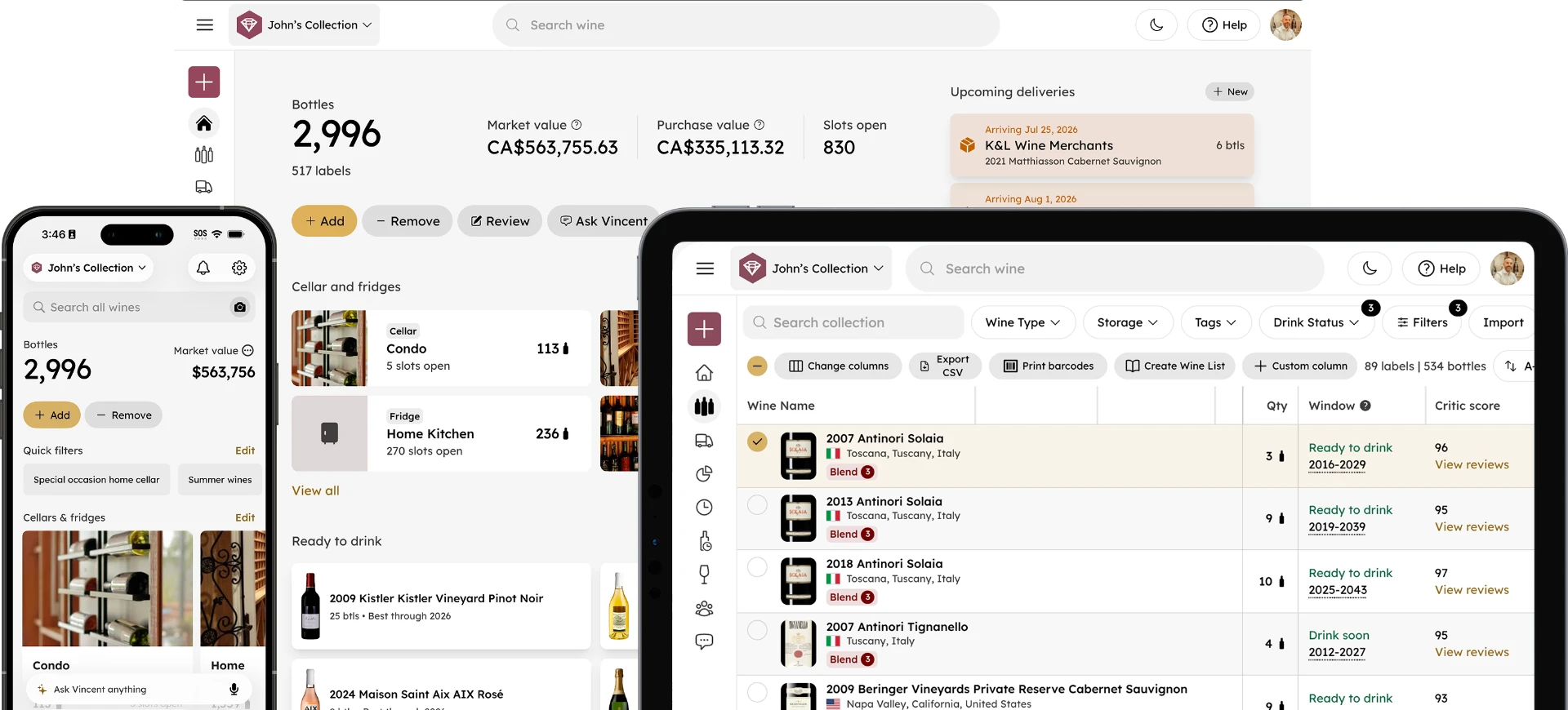
InVintory is another option. It also offers a 3D cellar map called VinLocate and an AI sommelier, Vincent, that works from your own collection, runs on iOS, Android and the web, and imports from CellarTracker and spreadsheets. See what each plan includes on the pricing page. For a head to head, read InVintory vs Oeni; for CellarTracker against Vivino, see our CellarTracker vs Vivino guide; and for the wider field, see the best wine apps for collectors.
Try InVintory free →
FAQ
Does Oeni have an Android app?
Yes. Oeni's site links an Android app on Google Play, an iOS app and a web app.
Is Oeni free?
Partly. Oeni is free to download with in-app purchases, and its site says you can try Oeni Plus free for 30 days.
Can I import a spreadsheet into Oeni?
Yes. Oeni's FAQ says you can download its Excel template, fill it with your bottle information and import it into the app.
Does Oeni show expert reviews?
Oeni's December 2025 update notes say it added wine reviews from experts such as Robert Parker and James Suckling, and community tasting notes now appear on wine pages.