Set Up Your Wine Fridge in the InVintory App
Madeleine Cruickshank
May 12, 2026 · 4 min read
Setting up a wine fridge in InVintory has always been worth doing. Once your fridge is mapped out, you can see exactly where every bottle lives, find any wine in seconds, and keep your collection organized as it grows. The only friction has been the setup itself: building your fridge layout from scratch takes time, and for many collectors, it's the step that keeps them from getting started.
Today's update removes that friction entirely.
What's New
Wine Fridge Templates
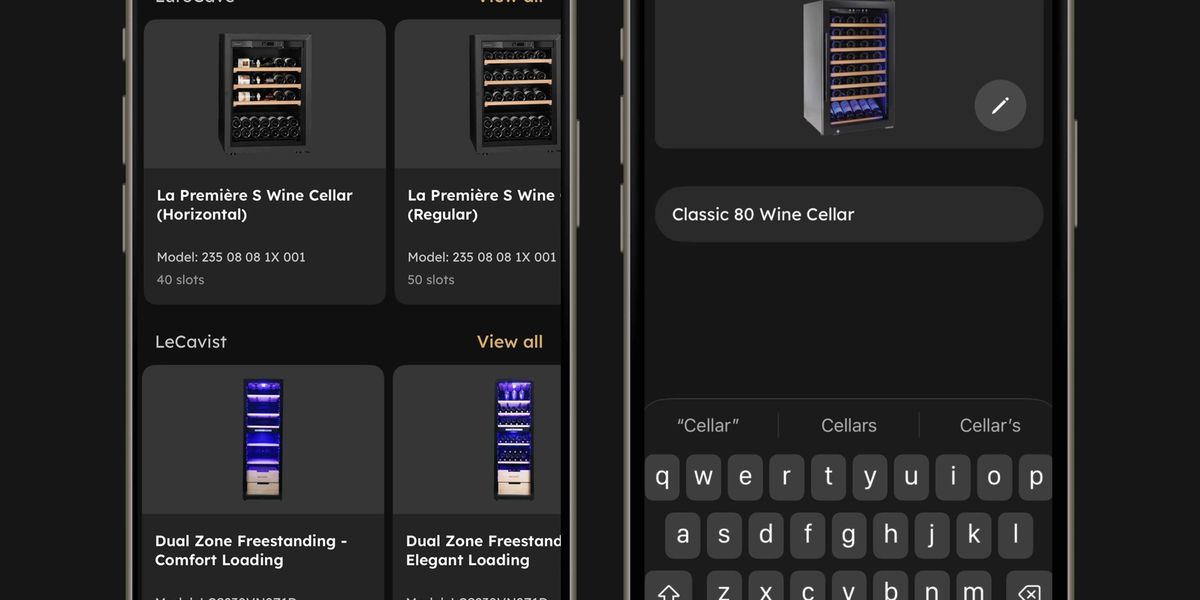
InVintory now includes ready-made templates for some of the most popular wine fridge brands, so you can get your fridge into the app in a fraction of the time it used to take.
Choose a template from brands including EuroCave, LeCavist, and Wine Enthusiast, and your fridge layout is built for you automatically. From there, you can customize it to match your exact setup: add or remove shelves, adjust columns and rows, change bottle orientation, and fine-tune until it looks exactly like the fridge in front of you.
The template does the heavy lifting. You handle the details.
For collectors who have been putting off setting up their fridge because the initial build felt like too much effort, this is the update that changes that.
Wine fridge templates are available to Premium members on iPhone, iPad, and web.
Add a New Cellar or Fridge From the Home Screen
Getting a new fridge or adding a second storage location is now faster too. You can create a new cellar or fridge directly from the Cellars and Fridges section on your home screen, without navigating away to find the option buried in settings.
Tap New, name your storage, and start adding bottles. That's it.
Available to Premium members on iPhone, iPad, and web.
Why Setting Up Your Wine Fridge in an App Is Worth It
If you've never mapped your fridge in a wine app before, it's worth understanding what changes once you do.
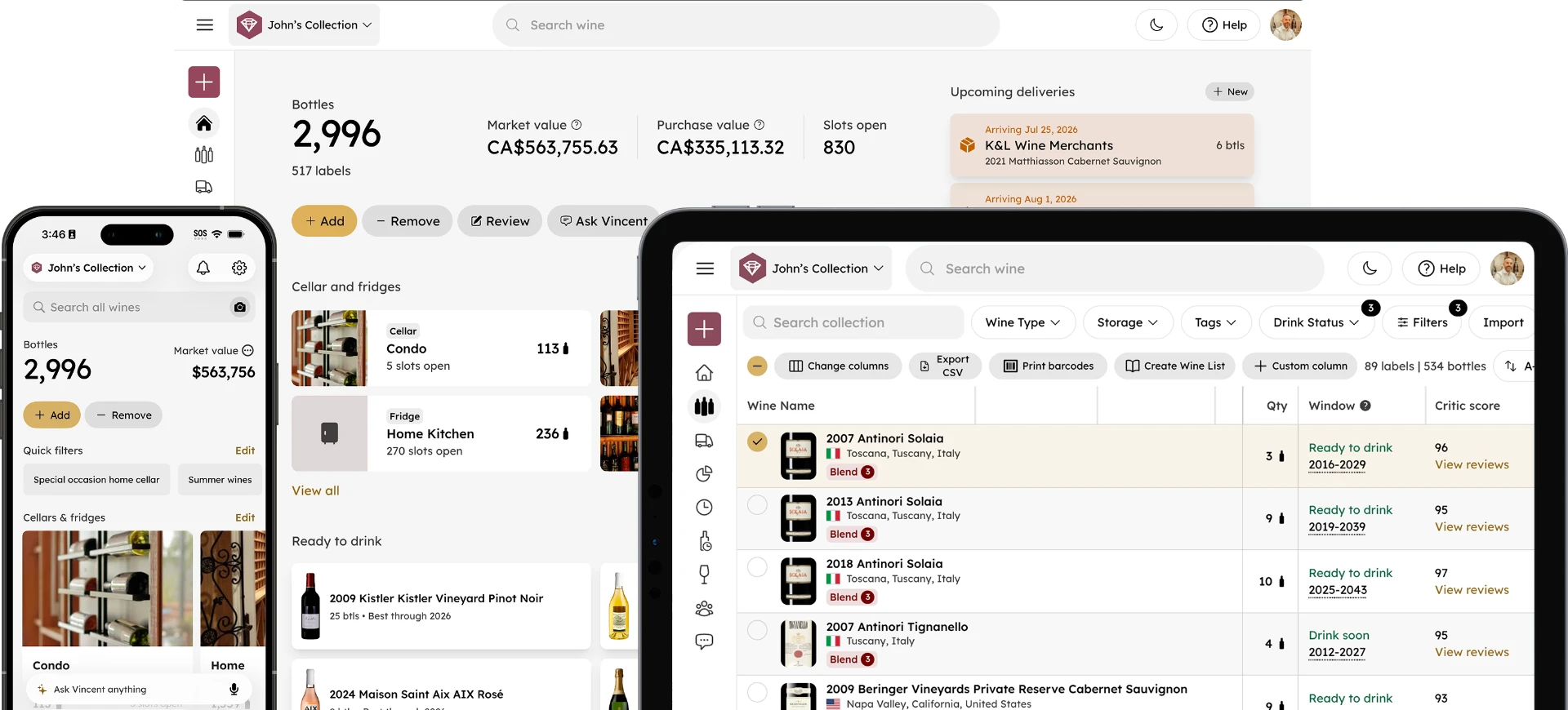
Without a digital layout, finding a specific bottle means physically searching shelf by shelf. If you have a fridge with 50, 100, or 200 bottles, that search takes time, and it becomes more frustrating the larger your collection grows. You also lose track of what you've consumed, what you've added, and what's approaching its drinking window.
Once your fridge is set up in InVintory, every bottle has a precise location. Search for a wine, and the app tells you exactly where it is. Add a bottle, and it drops into the right spot. Remove one, and your layout updates automatically. Your fridge stops being a mystery and starts being a resource.
The fridge templates make this easier to achieve than ever, because the part that used to slow people down — building the initial layout — now takes seconds rather than an afternoon.
Getting the Most Out of Your Fridge Layout
Once your fridge is set up, a few habits will help you get the most out of it.
Keep it current. The layout is only as useful as the data behind it. Logging bottles when they go in and marking them consumed when they come out keeps everything accurate, and InVintory makes both actions quick enough that they become second nature.
Use VinLocate to find bottles instantly. Once your fridge is mapped, InVintory's VinLocate technology highlights the exact location of any bottle you search for. No more scanning shelves looking for a label.
Let Vincent help you decide what to open. Once your fridge layout is in InVintory, your AI wine sommelier Vincent has full visibility into what you own. Ask him what to open tonight, what pairs with what you're cooking, or which bottles are approaching their drinking window, and he'll pull directly from your actual fridge to answer.
Not yet on Premium? See everything that's included and get your fridge set up the right way.
Frequently Asked Questions
Which wine fridge brands have templates in InVintory?
InVintory currently includes templates for EuroCave, LeCavist, and Wine Enthusiast. Templates can be fully customized after selection, so even if your exact model isn't listed, you can start from the closest match and adjust the layout to fit.
Can I edit a fridge template after I select it?
Yes. Templates are a starting point, not a fixed layout. Once you select a template, you can add or remove shelves, change the number of columns and rows, adjust bottle orientation, and customize the layout to match your actual fridge exactly.
Do I need a Premium membership to use fridge templates?
Yes. Wine fridge templates and the full VinLocate cellar management experience are available to Premium members. You can see everything included at invintory.com/pricing.
How do I add a second fridge or cellar?
From your InVintory home screen, go to the Cellars and Fridges section and tap New. Name your new storage location, choose a template or build from scratch, and start adding bottles. You can manage multiple fridges and cellars from the same account.
Is this available on web as well as iPhone and iPad?
Yes. Wine fridge templates and the ability to create a new cellar or fridge from the home screen are available on iPhone, iPad, and the InVintory web app.
What is VinLocate?
VinLocate is InVintory's proprietary technology that creates a visual, searchable map of your wine storage. Once your fridge or cellar is set up, VinLocate shows you the exact location of any bottle you search for, so you never have to hunt through your collection again.
Setting up your fridge is one of those things that takes minutes and pays off every time you reach for a bottle. If you've been meaning to get it done, now is the best time to start.