Vincent Now Manages Your Collection and Remembers Your Taste
Madeleine Cruickshank
June 1, 2026 · 4 min read
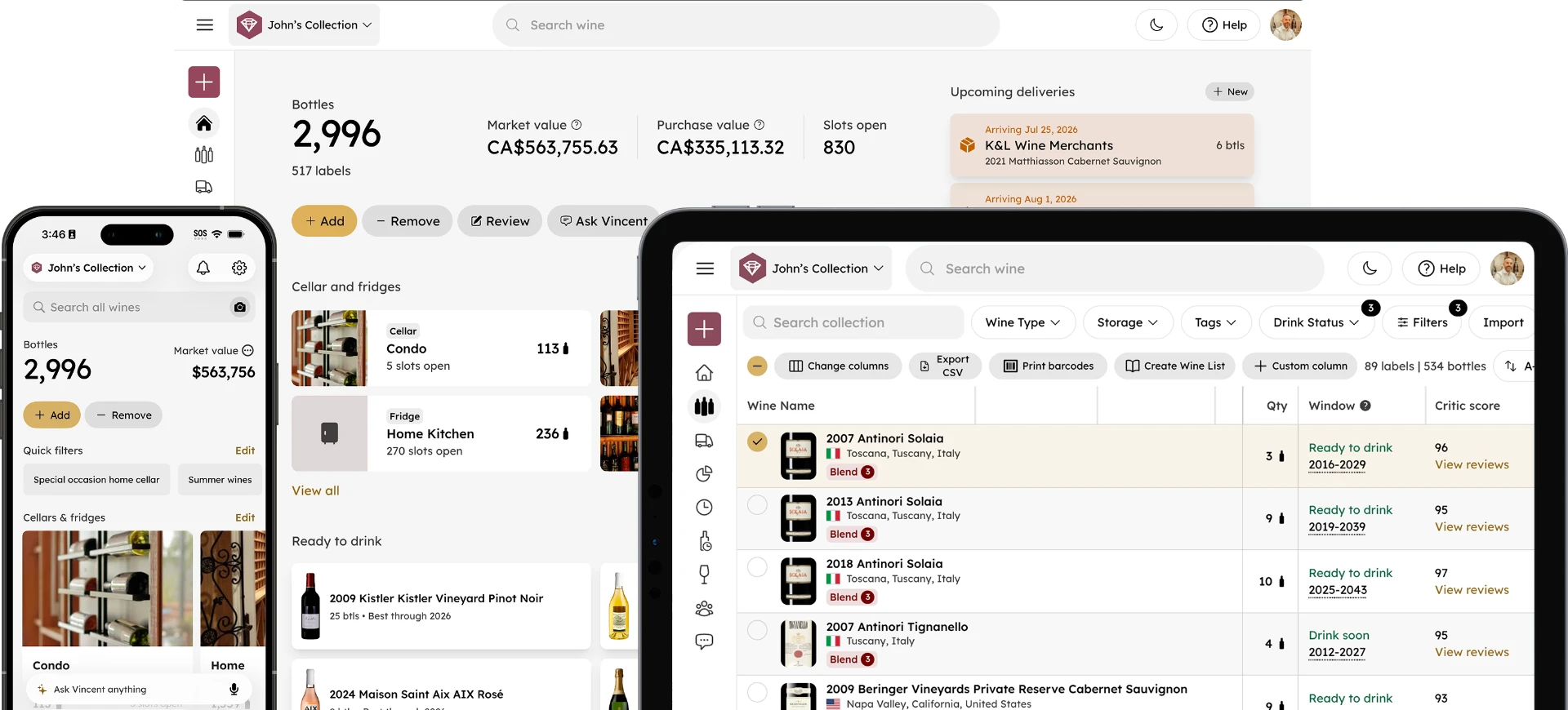
Vincent is InVintory's AI wine assistant. Ask him what to open tonight, what pairs with dinner, or which bottles in your cellar are approaching their drinking window, and he delivers expert-level guidance drawn from your actual collection.
Until now, Vincent was primarily an advisor. He could tell you what to do. He just couldn't do it for you.
Two new updates change that. Vincent can now take action on your collection directly, and he remembers what you tell him so every recommendation gets more personal over time.
What's New in Vincent
Can Vincent manage my wine collection?
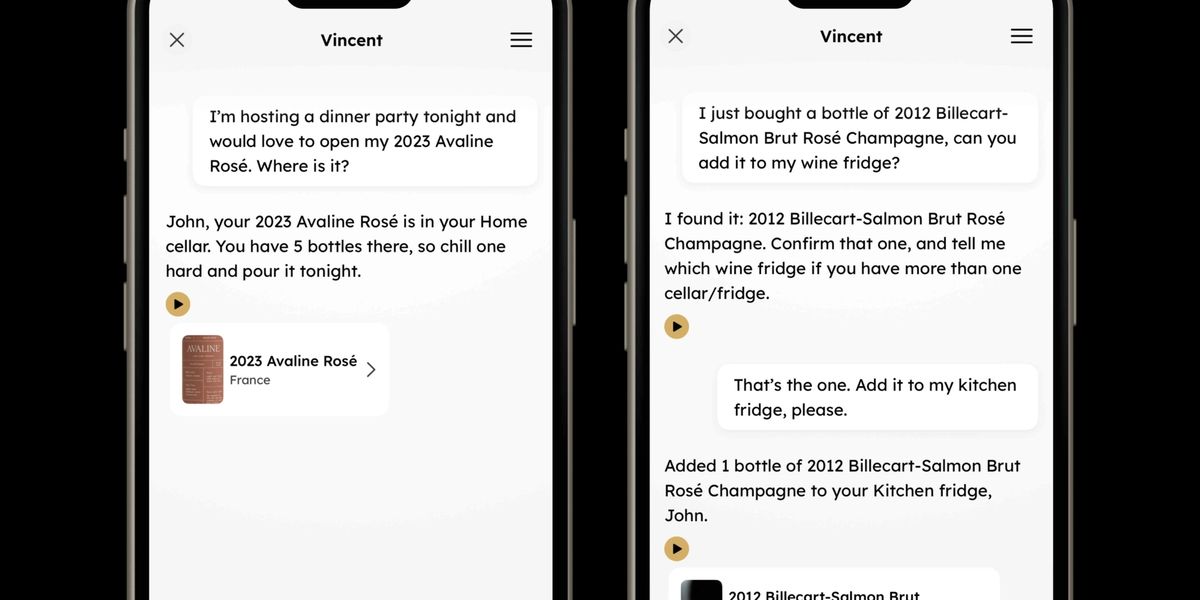
Yes. Vincent can now add bottles, update bottle details, and remove bottles from your collection, all through natural conversation in the Vincent chat.
Tell him you just picked up a new bottle and he'll add it. Tell him you opened something last night and he'll remove it. Tell him a vintage is wrong and he'll fix it. No menus, no manual entry, no setting down what's in your hands to tap through screens.
This is the fastest way to keep your collection current, especially when you're standing in front of your cellar with both hands full.
Examples of what you can ask Vincent:
- "Add a 2019 Caymus Cabernet Sauvignon to my collection"
- "Remove the Opus One I just opened tonight"
- "Update the vintage on that Barolo to 2017"
- "Add the 2012 Billecart-Salmon Brut Rosé to my kitchen fridge"
Vincent understands conversational language. You don't need a specific command format, just tell him what you need as you would tell a person.
Vincent is available to Premium members on iPhone, iPad, Android and web.
Does Vincent remember my wine preferences?
Yes. When you share something about your taste in a Vincent chat, he retains it and applies it to every future recommendation.
Tell him you love high-acidity whites and he won't forget it. Mention that Burgundy is your favorite region and he'll factor that in going forward. Share that you've been avoiding heavily oaked wines lately and his suggestions will adjust accordingly; not just in that conversation, but in every conversation after it.
The more you share, the sharper his recommendations become.
Examples of things you can tell Vincent:
- "I love wines with high acidity and good structure"
- "My favorite region is the Rhone Valley"
- "I prefer wines under 14% alcohol"
- "I've been really enjoying aged Riesling lately"
No form to fill out. No settings to configure. Just talk to Vincent the way you'd talk to a sommelier you trust, and he'll take note. If you'd like to set your taste profile more formally, Vincent also has a dedicated Preferences feature that lets you define your palate once and apply it across every chat. Learn more about Vincent Preferences here.
Vincent is available to Premium members on iPhone, iPad, Android and web.
How These Updates Make Vincent a More Useful AI Wine Assistant
Vincent is more capable than a general-purpose AI tool for one reason: context. He knows your collection, understands your history, and now remembers your preferences across conversations.
Most AI tools reset between sessions. You explain what you like, get a recommendation, and the next time you open the app it starts from scratch. That's useful in a limited way, but it's not personal.
With these two updates, Vincent moves into different territory. He can act on your behalf and build an understanding of your palate over time. The more you use him, the more useful he gets.
For collectors who spend more time maintaining their collection than enjoying it, that matters. Logging bottles, correcting records, and keeping everything accurate is friction that builds up. When your AI wine assistant handles that in the same conversation where he's helping you decide what to open, the whole experience becomes faster and more enjoyable.
Vincent vs. Generic AI Wine Tools: What's the Difference?
Generic AI tools can answer broad wine questions, but they have no knowledge of what's in your cellar, what you've enjoyed before, or what you're in the mood for tonight.
Vincent is built specifically for wine collectors and works from your actual collection. That distinction matters for three reasons:
Recommendations are grounded in what you own. Vincent won't suggest a wine you'd need to buy. He pulls from your cellar to find the best match for the moment.
Preferences build up over time. Generic tools start fresh every session. Vincent carries your taste profile forward so every conversation is more relevant than the last.
He can take action, not just advise. No other AI wine tool can update your collection records through conversation. Vincent can.
Not yet on Premium? See everything that's included and start getting more from your collection.
Frequently Asked Questions
What can Vincent do to manage my wine collection?
Vincent can add new bottles, update existing bottle details, and remove bottles you've consumed or no longer own, all through natural conversation. No menus or manual entry required.
How does Vincent remember my wine preferences?
When you share taste preferences in a Vincent chat (favorite regions, preferred styles, alcohol levels, or anything else about what you enjoy), Vincent retains that information and applies it to future recommendations. The more you share, the more tailored his responses become.
Do I need to set up Vincent's memory in a specific way?
No. There's no form or settings screen required. Share your preferences naturally in conversation and Vincent will remember them. You can add to them at any point across multiple conversations.
Is Vincent's collection management available on all platforms?
Yes. Vincent can add, update, and remove bottles on iPhone, iPad, Android and the InVintory web app.
Do I need a Premium membership to use these features?
Yes. Vincent's collection management and memory features are available to InVintory Premium and Elite members. You can see everything included at invintory.com/pricing.
Can Vincent still give recommendations and answer questions about wine?
Yes, and he does it better now than ever. Collection management and memory are additions to everything Vincent already does. He still answers questions about specific bottles, suggests food pairings, helps you decide what to open tonight, and gives tasting notes on any wine in your collection.
Vincent gets better every time you use him. The sooner you start, the more he learns.